Deploy Models
To Production
Ship computer vision models to serverless infrastructure. Auto-scaling, zero cold starts, and full observability out of the box.
Serverless model serving
Deploy models without managing servers. Picsellia handles container orchestration, GPU allocation, load balancing, and auto-scaling automatically.
GPU & CPU Inference
Choose the right compute for your model — from T4 GPUs to cost-efficient CPU instances
Container Orchestration
Automatic containerization with optimized runtimes for ONNX, TensorRT, and PyTorch
Secure Endpoints
API key authentication, rate limiting, and encrypted traffic by default
Deploy in a few lines of code
Use the Python SDK to deploy, update, and manage models programmatically. Full API access for CI/CD integration.
# Connect and get deployment
from picsellia import Client

client = Client()

# Create deployment with model
deployment = client.create_deployment(
  name="prod-v3"
)
deployment.set_model(model_version)# Run prediction from file path
result = deployment.predict(
"image.jpg"
)
# Run prediction from bytes
result = deployment.predict_bytes(
"image.jpg",
raw_image
)
# Send to monitoring
deployment.monitor("image.jpg")# Direct API call
curl -X POST "https://serving.picsellia.com/v1/predict" \
-H "Authorization: Bearer $API_KEY" \
-F "image=@photo.jpg" \
-F "deployment_id=dep_abc123"Scale to match demand
Automatically scale from zero to thousands of requests per second. Pay only for the compute you use, with intelligent scaling policies.
Everything you need to serve models
From model registry to production endpoint, Picsellia handles the entire deployment lifecycle with enterprise-grade reliability.
Model Registry Integration
Deploy any model version from your registry. Full lineage from experiment to production endpoint.
Runtime Optimization
Automatic model optimization with ONNX Runtime, TensorRT, or custom serving containers.
Monitoring Built-In
Every prediction is logged. Track latency, throughput, and anomalies from day one.
Ready to deploy your models?
Go from trained model to production endpoint in minutes. Serverless, scalable, and fully managed.
Related reading
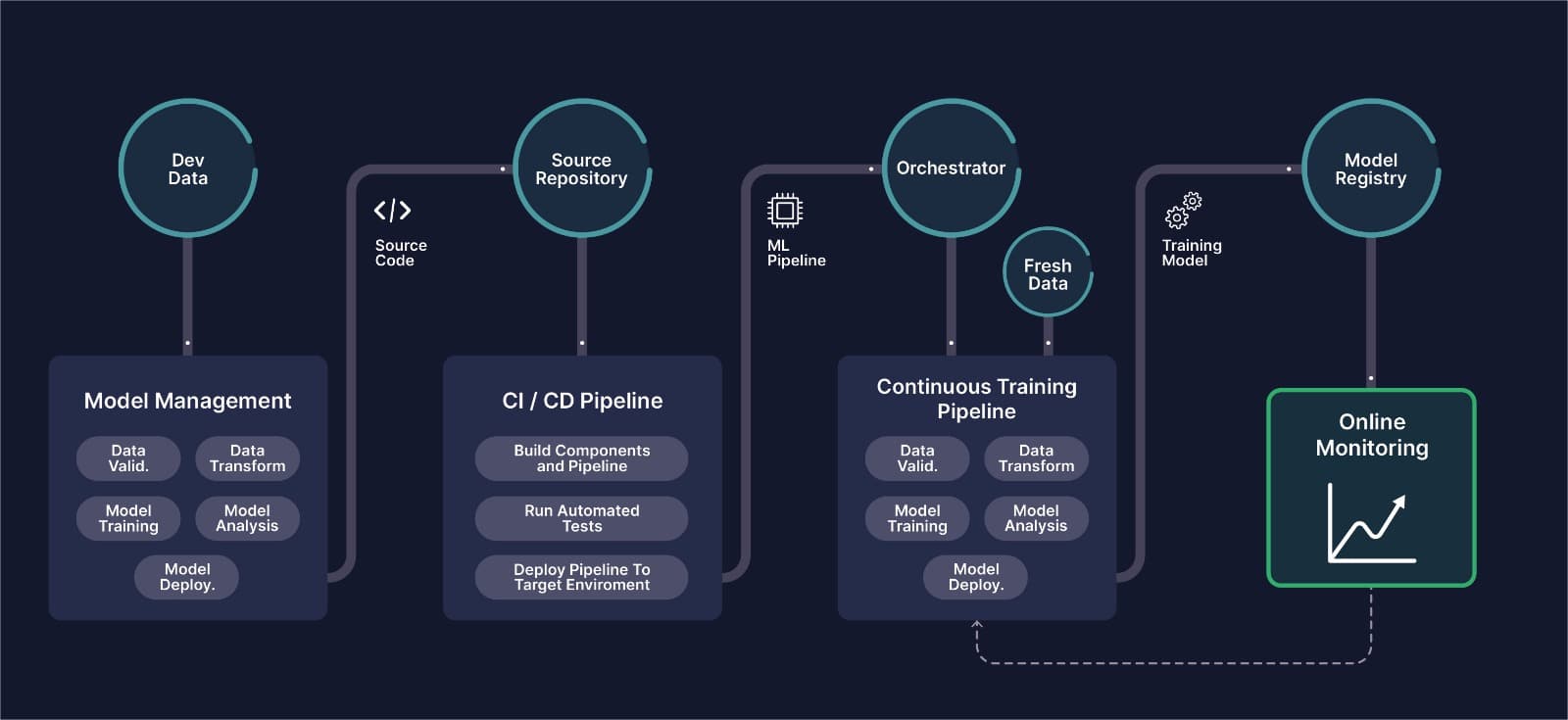
MLOps for Computer Vision: The Complete Guide
What CVOps actually means, why classical MLOps tooling breaks down on image and video data, and how the six stages of a computer vision pipeline fit together in production.

How To Optimize Computer Vision Models For Edge Devices
Learn the best optimization techniques to decrease model size and increase inference speed in computer vision.
Integrating Picsellia in Your Databricks/MLFlow Environment
Combine MLFlow's management with Picsellia's specialized tools for efficient, streamlined workflows.
How to Integrate Picsellia into a Hugging Face Training Workflow
Effortlessly scale computer vision model training with Picsellia's CVOps platform and HuggingFace.
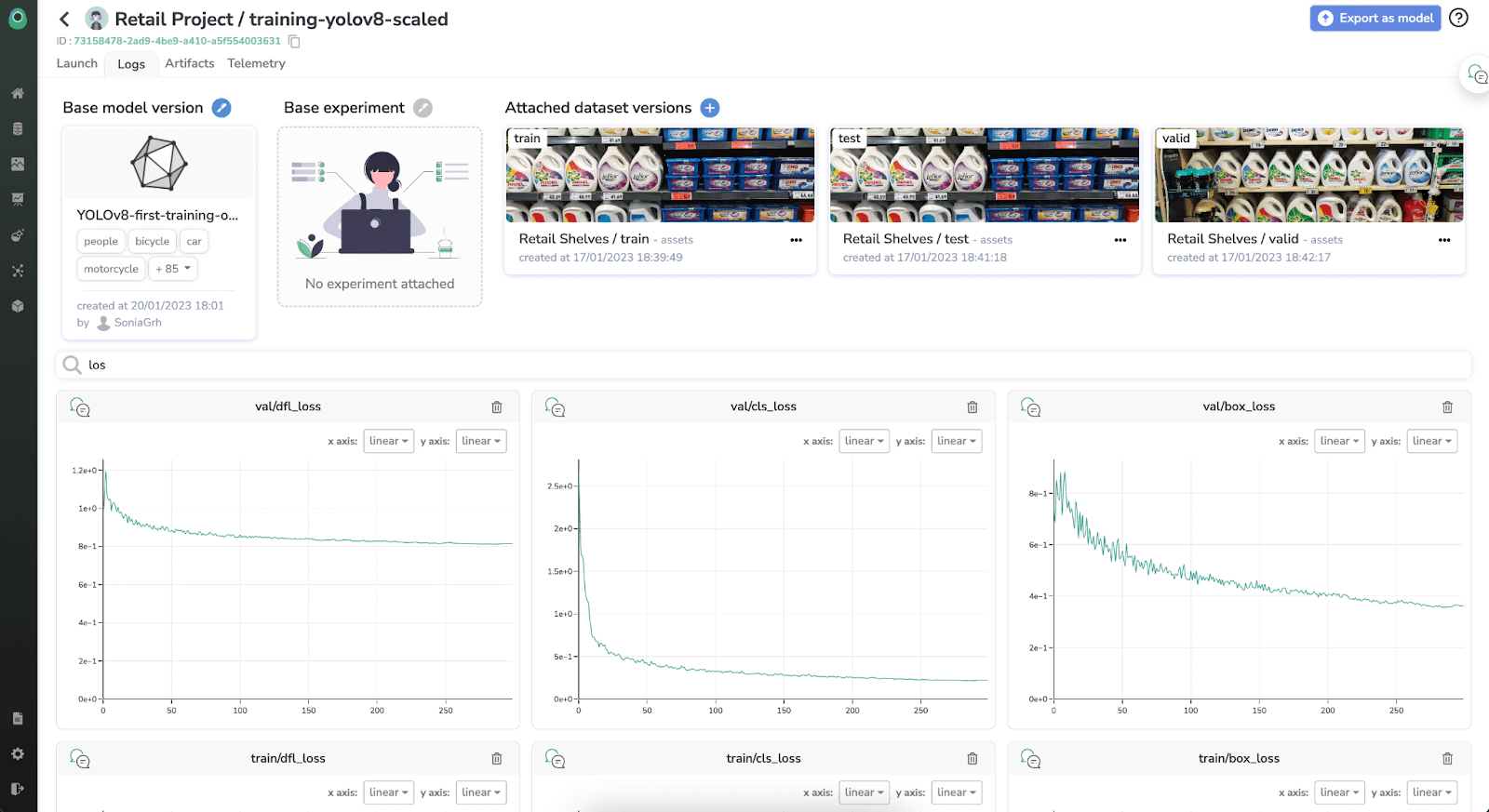
Train and integrate YOLOv8 with Picsellia in just a few minutes
In this tutorial, we will provide you with a detailed guide on how to train the YOLOv8 object detection model using Picsellia.
MLOps Platform: Build vs. Buy? What You Must Know
Some companies go for building entire MLOps platforms, while others decide to purchase tools that integrate to their solutions. Learn what's best for you.